
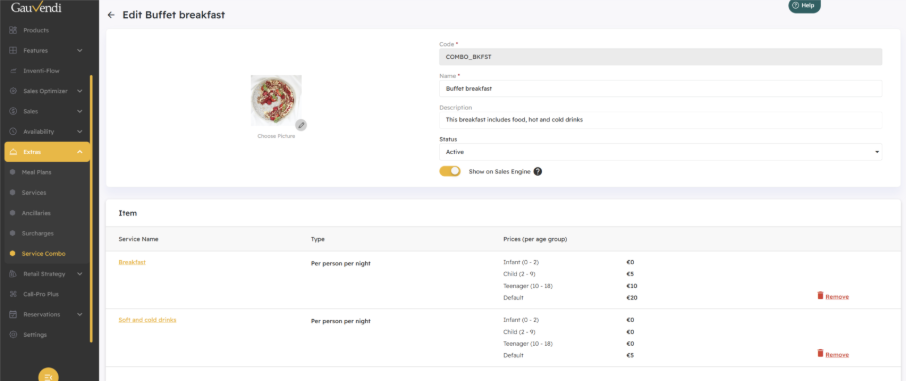
You are now able to combine services to a “Combo Service”. Please note that combinations can only be made for services that have the same pricing module.
Preparation
- Make sure you set up the individual services you want to provide under Extras first with their respective taxes.
Combo Service
- Go to Extras > Service Combo to add a new combo service “Add New Combo”


- When creating the combo please ensure that the code always starts with combo_xxx

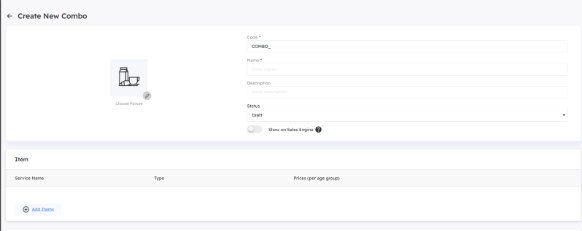
- Add the Service Items you like to combine
- If you want the service to be shown on the ISE (needed if you offer the service as an extra add on to be booked), please ensure you active “Show on Sales Engine”
Note: Services can only be combined when the same pricing module is applied


Ensure proper mapping
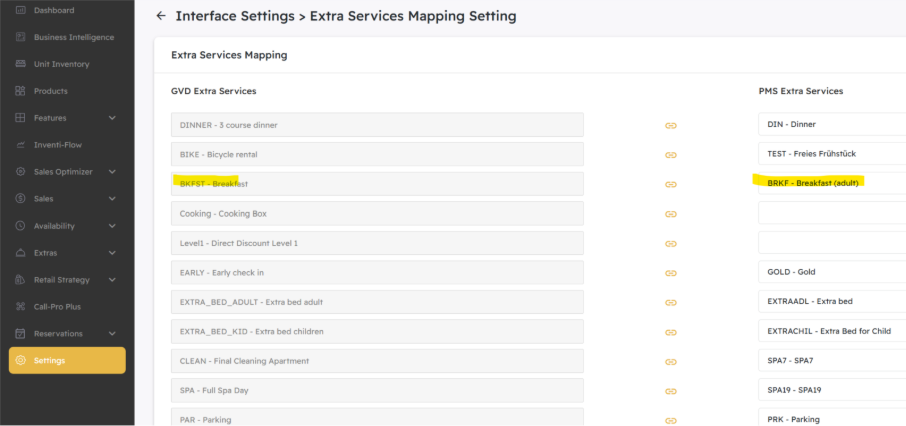
- Make sure that the services you have set up in GauVendi are also added identically in your PMS.
- Enter Settings > Integration > Services and map the services with the PMS.
NOTE: Please do NOT map the “combo service” as this service does not really exist by itself hence there is no mapping possible to the PMS.
Update Sales Plans
Please review all your sales plans and update the services. Add combo service where you want to offer it and take out outdated services respectively.